Your workflow is business-specific
Important steps, handoffs, exceptions, and process states do not fit a generic product without awkward workarounds.
Digital Sensei turns users, workflows, rules, data, and integrations into web, mobile, and backend systems. We start with how your business works and carry delivery through implementation, QA, deployment, and support.
Off-the-shelf products solve many needs well. Custom software becomes useful when important processes, roles, rules, or connections cannot be represented clearly enough by the tools already available.
Important steps, handoffs, exceptions, and process states do not fit a generic product without awkward workarounds.
Spreadsheets, email, and separate systems make records, decisions, and current status difficult to follow.
Customers, partners, teams, and administrators require distinct views, permissions, responsibilities, and approvals.
Status changes, notifications, business rules, and approval paths are difficult to manage consistently by hand.
A dedicated experience can make accounts, records, requests, documents, and interactions easier to manage.
An inherited, partially completed, or aging application needs focused extension, integration, or modernization.
The delivery may take the form of a focused internal application, a connected customer experience, or a wider platform spanning multiple roles and technical disciplines.
Role-aware operational workflows with approvals, process states, business rules, notifications, and clear handoffs.
Accounts, dashboards, self-service journeys, requests, records, and day-to-day business interactions.
Administration, case or process tracking, business records, reporting, and day-to-day operational control.
Responsive React and Next.js business applications, admin experiences, and data-rich dashboards.
React Native applications for iOS and Android with notifications, backend services, and shared business workflows.
APIs, payments, notifications, third-party services, and useful AI or automation connected to the wider process.
These projects show custom application development in context, with specific users, rules, state changes, integrations, and operational needs rather than generic feature lists.
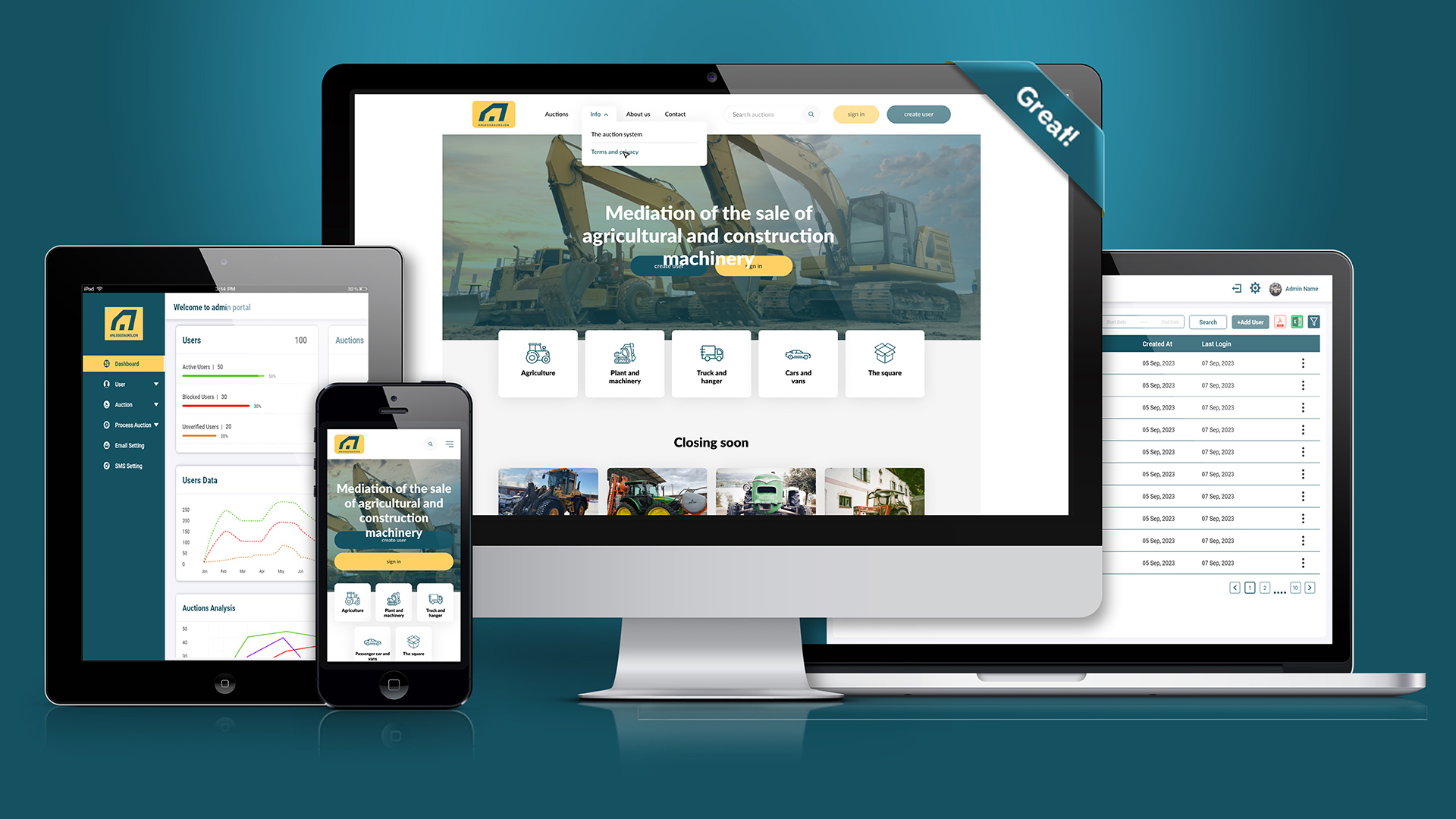
Anleggsauksjon is an operational equipment auction platform serving the Norwegian market. Its MERN-based product includes configurable categories, drag-and-drop category forms, user listings, bidding, maximum auto-bid thresholds, outbid emails, highest-bidder handling, and operator commission workflows.
MERN • Auctions • Configurable Workflows • Auto-Bidding • Notifications
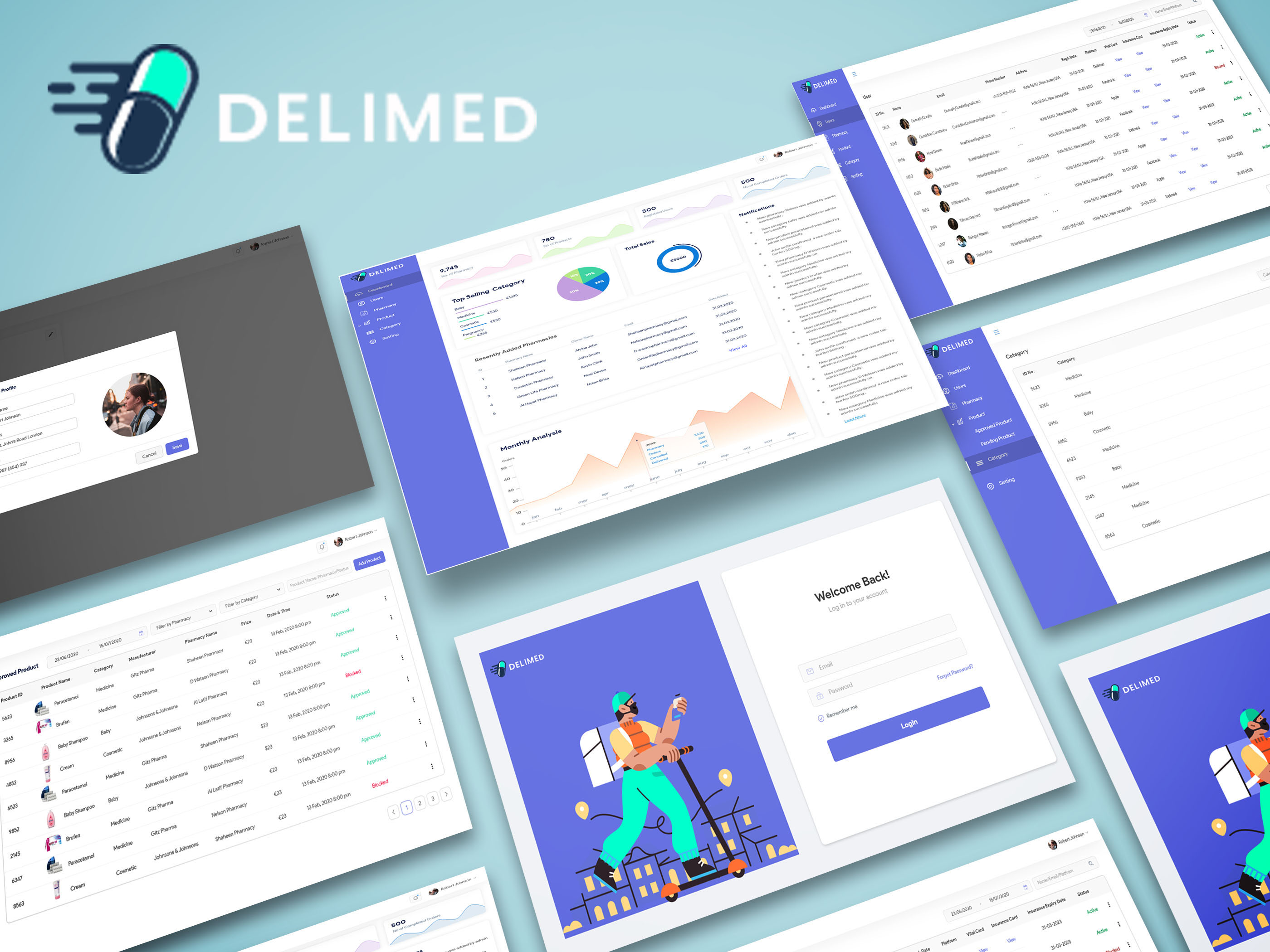
A Paris MERN web and mobile medicine-ordering platform connecting administrative, pharmacy, and customer workflows. It supports prescription and non-prescription requests, pharmacy pricing and fulfillment, customer approval, Stripe capture after approval, pickup or delivery, and later product evolution.
MERN • React Native • Stripe • Multi-role Workflow
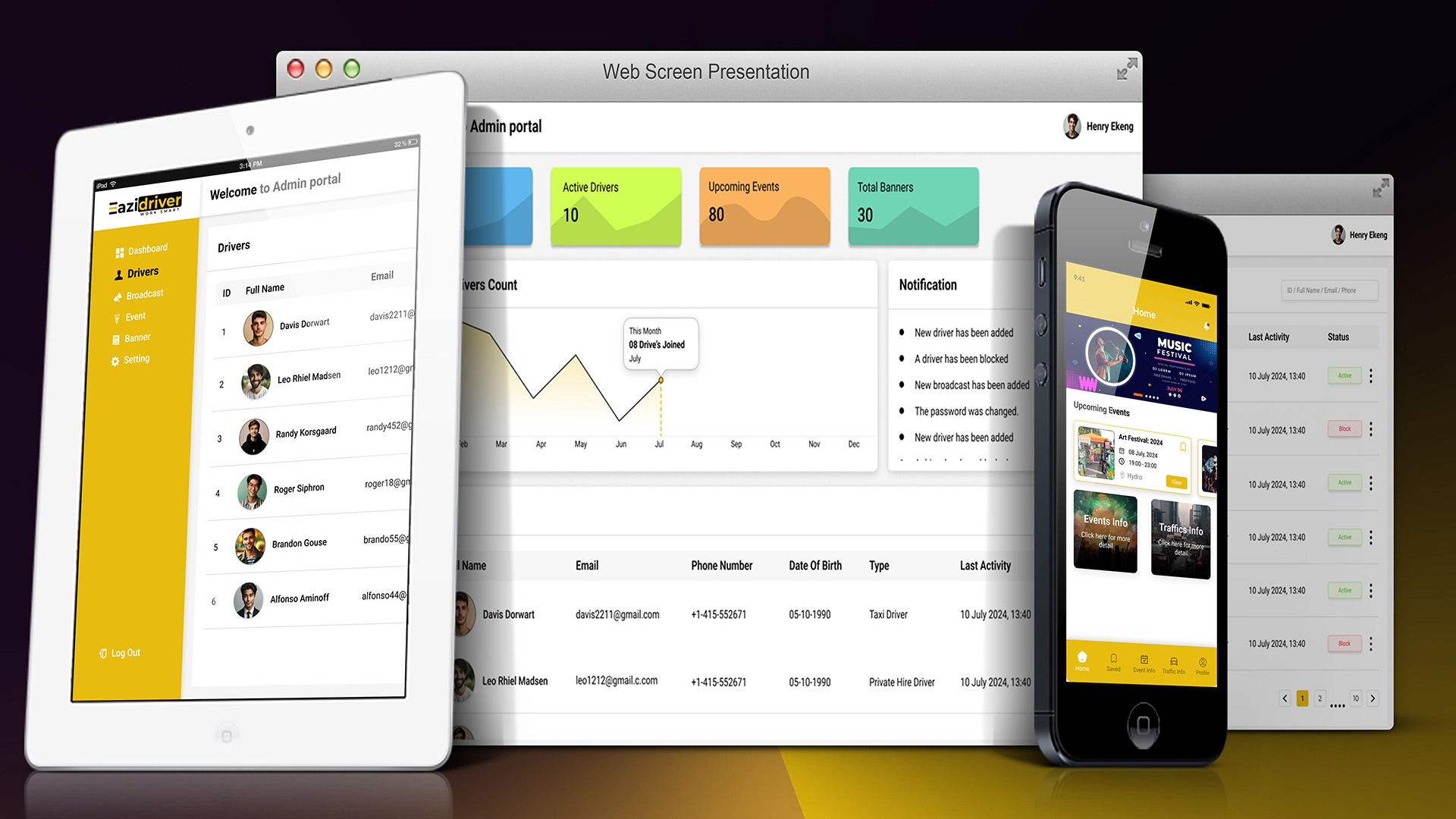
A private taxi-driver React Native application for Glasgow that brings together relevant event, venue, football, and road-closure information. Drivers can favorite events, receive notifications, and use regularly updated data to understand where and when activity may be higher.
React Native • Data Aggregation • Notifications • Scheduled Updates
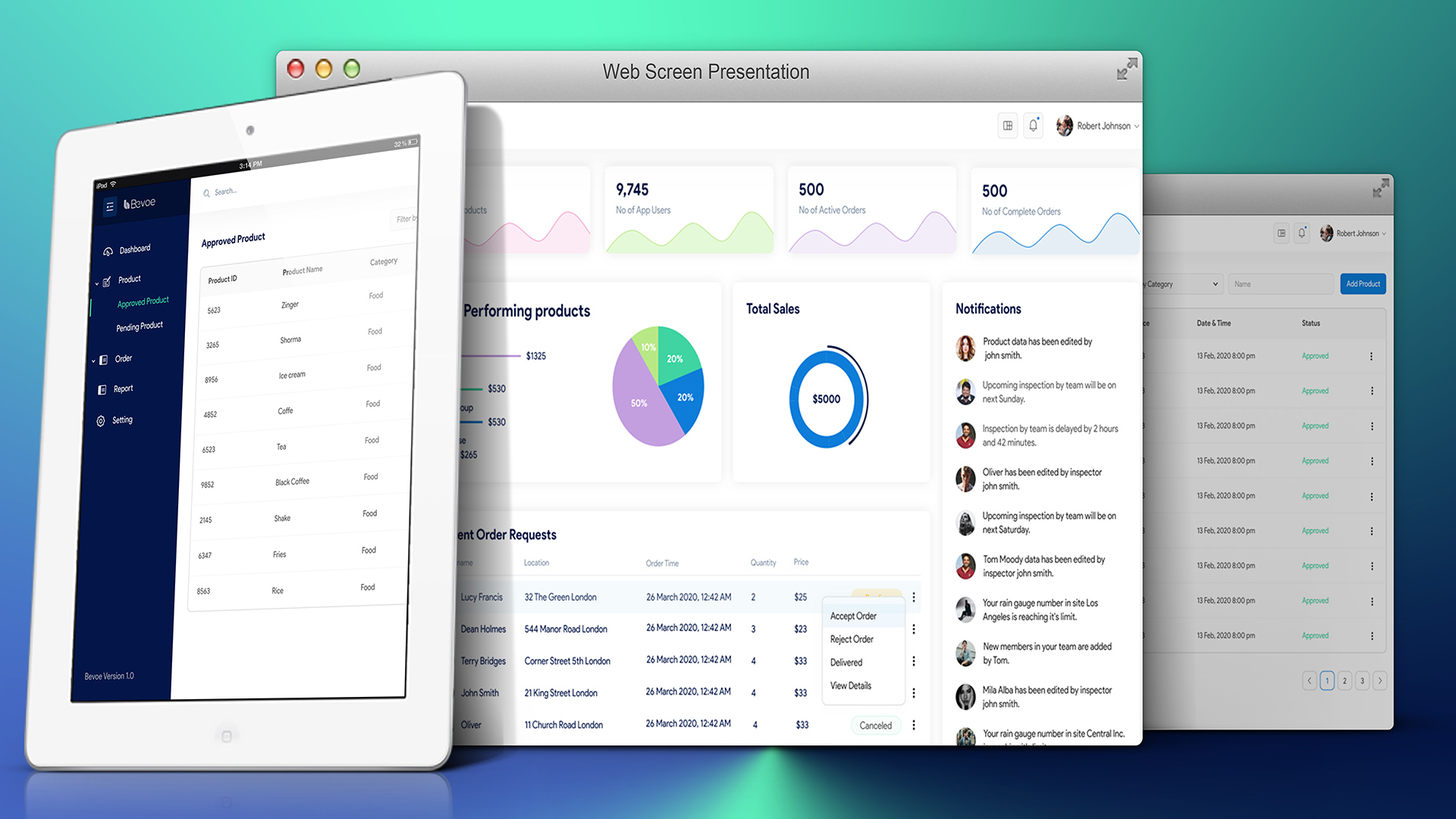
A UK React Native local merchant and deals platform with an admin portal, merchant onboarding, product and discount management, postal-area and nearby-offer discovery, and an offer-claiming workflow for in-store use.
React Native • Admin Portal • Merchant Workflows • Location Discovery
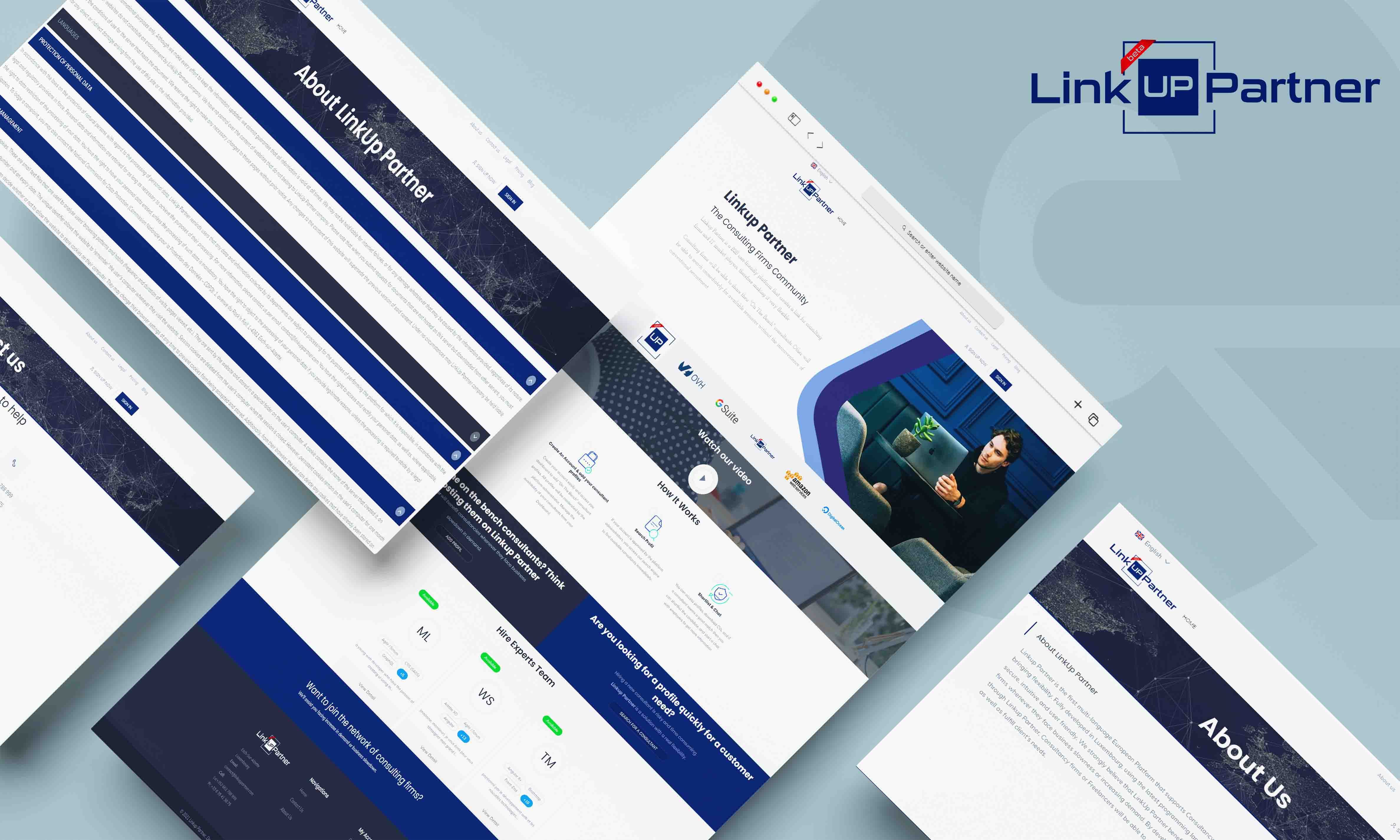
A European MERN marketplace connecting consultant and resource availability with short-term business requirements through search, matching, communication, and dashboards. The product later expanded to support freelancer participation.
MERN • B2B Platform • Matching • Dashboards • Workflow Design
Technology is selected after we understand the operating model. That keeps the architecture connected to what people need to accomplish, the decisions the system must enforce, and the information it must move.
Clarify the operating problem, desired improvement, boundaries, constraints, and measures of a useful solution.
Identify who participates, what each role can see and do, and where responsibility changes hands.
Model states, approvals, exceptions, notifications, and business rules that make the process distinct.
Determine what the application owns, what it receives, and which external systems must stay connected.
Define system boundaries and select suitable web, mobile, backend, data, integration, and cloud technologies.
Coordinate UI/UX, engineering, QA, deployment, and support around the complete workflow.
A custom application may need one focused engineering workstream or coordinated work across several. No project is required to use every technology listed below.
Responsive customer, partner, administrative, and internal business application experiences.
Connected iOS and Android delivery for mobile workflows, notifications, and operational access.
Application services, business logic, authentication, roles, workflows, and REST APIs.
Data models chosen around relationships, transactions, query needs, and the required flexibility.
Payments, notifications, AI, telephony, and third-party platforms integrated into useful workflows.
AWS, DigitalOcean, and Vercel when suitable, with deployment and infrastructure assistance.
Business application modernization starts by assessing the current process and system. We identify what should remain, where friction or risk matters, and whether focused improvement is more effective than replacement.
Not every manual process needs custom software, and an existing application does not automatically need a complete rewrite.
Discovery, design, engineering, QA, integrations, deployment, and support stay aligned around the workflow the software must enable.
Understand objectives, users, workflows, pain points, constraints, and the current operating environment.
Define roles, data, workflows, integrations, system boundaries, and suitable technology choices.
Coordinate the required UI/UX, frontend, backend, and mobile implementation.
Connect third-party services and validate complete workflows across system and role boundaries.
Prepare and release the application through the chosen production and cloud infrastructure.
Maintain and improve the software as operations and business requirements change.
Launching the application is one stage of its working life. Digital Sensei can continue as requirements, workflows, integrations, and production needs evolve.
Support can be fixed-term, ongoing, or structured as flexible engineering capacity according to the engagement.
Digital Sensei can organize discovery and business analysis, UI/UX, frontend, backend, mobile, QA, integrations, DevOps, deployment, and post-launch support around the software the business genuinely needs.
Work begins with objectives, users, workflows, rules, and operating constraints before screens are defined.
Requirements, architecture decisions, delivery risks, and important tradeoffs stay close to experienced technical leadership.
The engagement can coordinate the required design, web, mobile, backend, QA, integration, and deployment capability.
Verified delivery includes auctions, multi-role ordering, driver operations, merchant workflows, and B2B resource matching.
Scope and delivery structure can reflect a new build, focused workstream, modernization effort, or continuing engineering need.
Maintenance, issue resolution, feature work, workflow improvement, modernization, and deployment support can continue after release.
Digital Sensei is led by Aamer Rasheed, Founder & SaaS/AI Solutions Architect, whose background spans business analysis, software engineering, and technical leadership.
Digital agencies and technology partners can also engage Digital Sensei when additional software engineering or product-delivery capability is required.
Digital Sensei builds business workflow applications, customer and partner portals, internal operations systems, admin portals, custom web applications, connected mobile applications, and integrated business platforms.
Custom software is worth considering when a valuable business-specific workflow, role model, rule set, or system connection cannot be handled clearly enough by available products. We assess the need before recommending a custom build.
Yes, where doing so creates meaningful operational value. We map the current process, identify what should remain, and design only the workflow, data, access, and automation the business needs.
Yes. Delivery can connect React or Next.js web experiences, React Native iOS and Android applications, backend services, shared data, notifications, and administration.
Yes. Custom portal development can include accounts, role-based dashboards, records, requests, approvals, documents, self-service actions, notifications, and administrative control.
Yes. We can assess inherited React and Node.js applications, partially completed products, admin portals, APIs, data models, integrations, and deployment arrangements before defining clear next steps.
Not automatically. We examine the current application, business priorities, risks, and constraints, then decide whether focused modernization, phased replacement, or a rebuild is justified.
Yes. Integration work can connect payments, notifications, AI, telephony, and other business platforms while accounting for authentication, data mapping, failures, state changes, and user-facing outcomes.
Yes. Users, roles, permissions, process states, approvals, exceptions, and notifications can be modeled around the operating process and defined access boundaries.
Yes, when it supports a useful and appropriately bounded workflow. We connect automation or AI to the wider application rules, data, integrations, and human steps rather than treating it as an isolated feature.
Capabilities include React, Next.js, React Native, Node.js, Express, NestJS, MongoDB, PostgreSQL, REST APIs, and cloud delivery. Technology choices follow the workflow and architecture; not every project uses every tool.
Yes. Digital Sensei can support application configuration and deployment on AWS, DigitalOcean, or Vercel when suitable, alongside production and infrastructure assistance.
Yes. Support can cover maintenance, issue resolution, new features, workflow enhancements, modernization, deployment assistance, and ongoing engineering on a fixed-term, ongoing, or flexible-resource basis.
It starts with the business objective and current process. We clarify users, roles, workflow, rules, data, integrations, constraints, and priorities before shaping the architecture and delivery plan.
Share the workflow, system, or operational problem you want to improve. Digital Sensei can help translate it into a software architecture and delivery plan.